

KabayanXpress
Lexcode Inc.
Design - Launch: 2 months
Product Designer
5 min read

CONTEXT
What is KabayanXpress
THE PIVOT
Taking on the challenge
After designing the project manager dashboard where translation requests are received, I took on the challenge of improving the client-side experience.
Building on an existing design, I identified key pain points and redesigned the client dashboard to provide better document visibility, clearer progress tracking, and enhanced engagement features.
USERS
Overseas Filipino Workers (OFWs)
Filipinos working abroad who need their Philippine documents officially translated for use in a foreign country
Clients in the Philippines needing foreign document translation
Not all users are OFWs. Some are Filipinos locally who need documents translated for immigration, study abroad, or business purposes.
REDESIGNING GOALS
1
Proactive Transparency & Emotional Reassurance
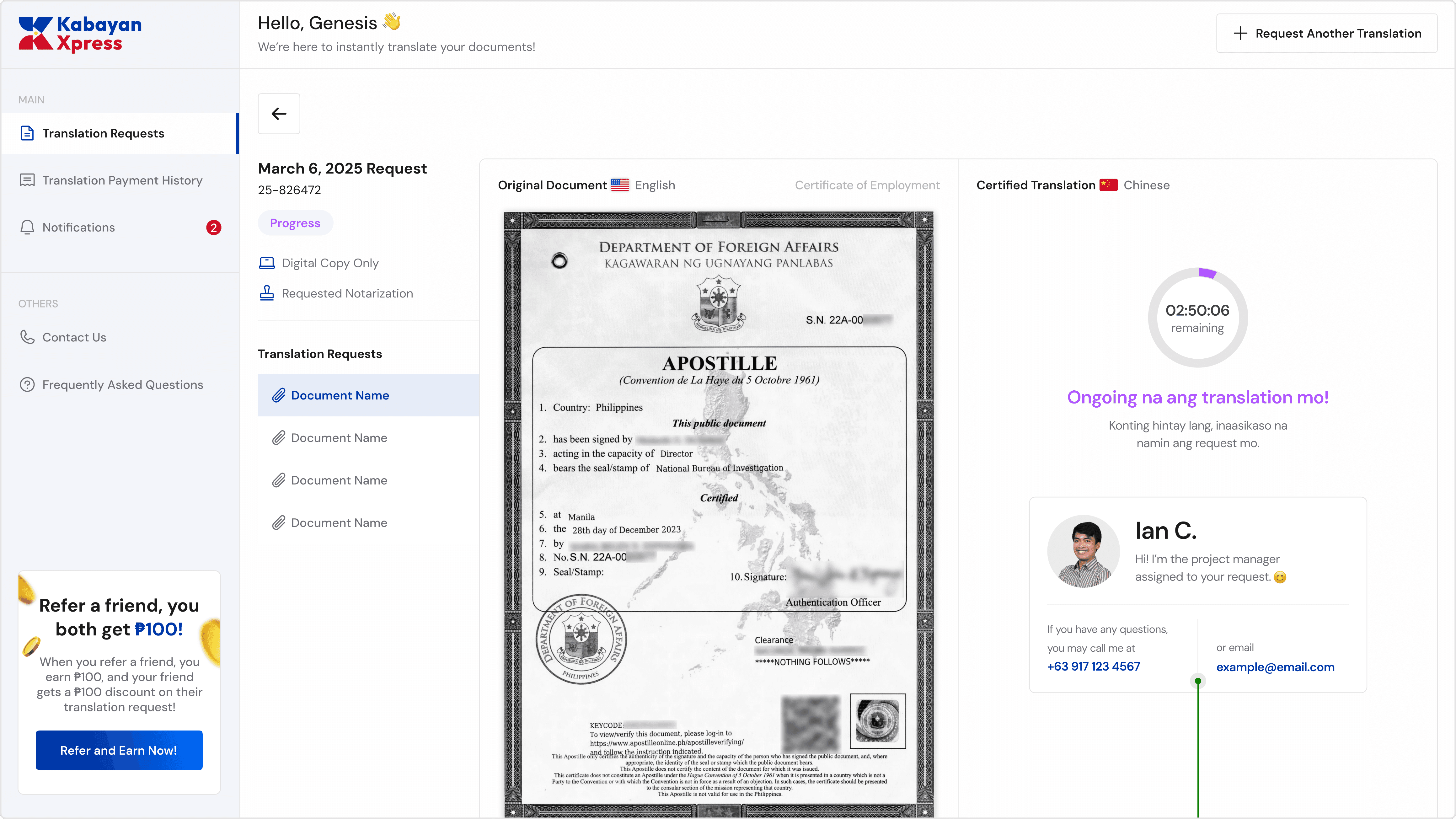
Replace user uncertainty with a sense of control by providing clear progress indicators and real-time status updates.
2
Scalable Portal Architecture
Implement structured tabs and evolve the dashboard from a basic file viewer into a scalable client portal capable of supporting increasing translation volume.
3
Community-Driven Growth
Integrate accessible referral system within the client dashboard to encourage user-driven growth. As we serve thousands of OFWs, this integrated system will empower our happy clients to refer others, helping KabayanXpress reach even more Filipinos.
PROBLEMS
User painpoints
Through close collaboration with translation project managers, I was able to review real user messages, spanning emails, texts, calls, and more, and it was through these conversations that the true pain points surfaced. It became clear the dashboard worked, just not well enough. It lacked clarity, emotional reassurance, and room to scale.
Missing Action Pathways
This creates friction in repeat usage and discourages continued engagement. A growing service should encourage seamless repeat transactions.
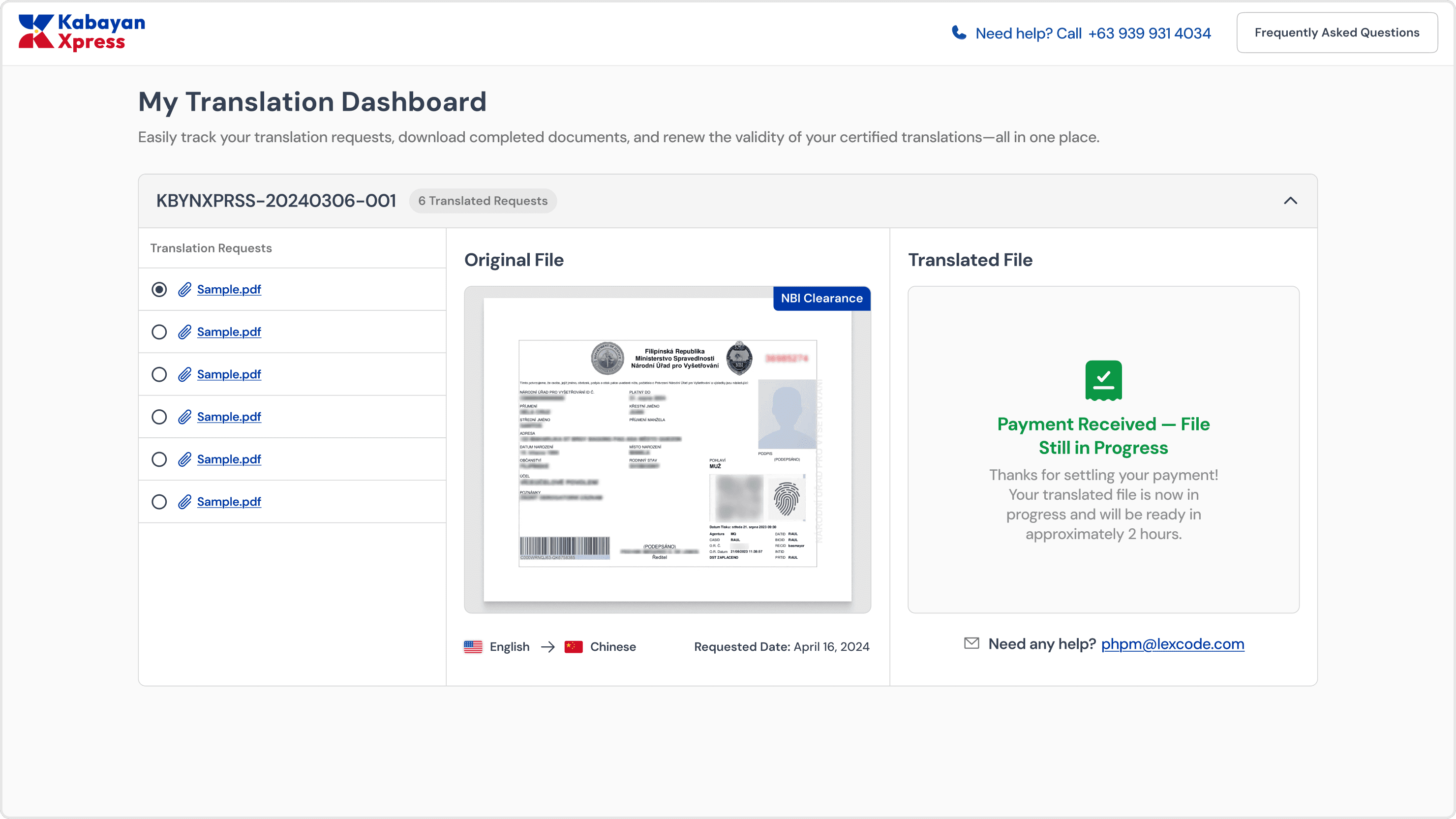
Old product
No Notifications System
The absence of notification tracking reduces transparency and increases the likelihood of support inquiries.
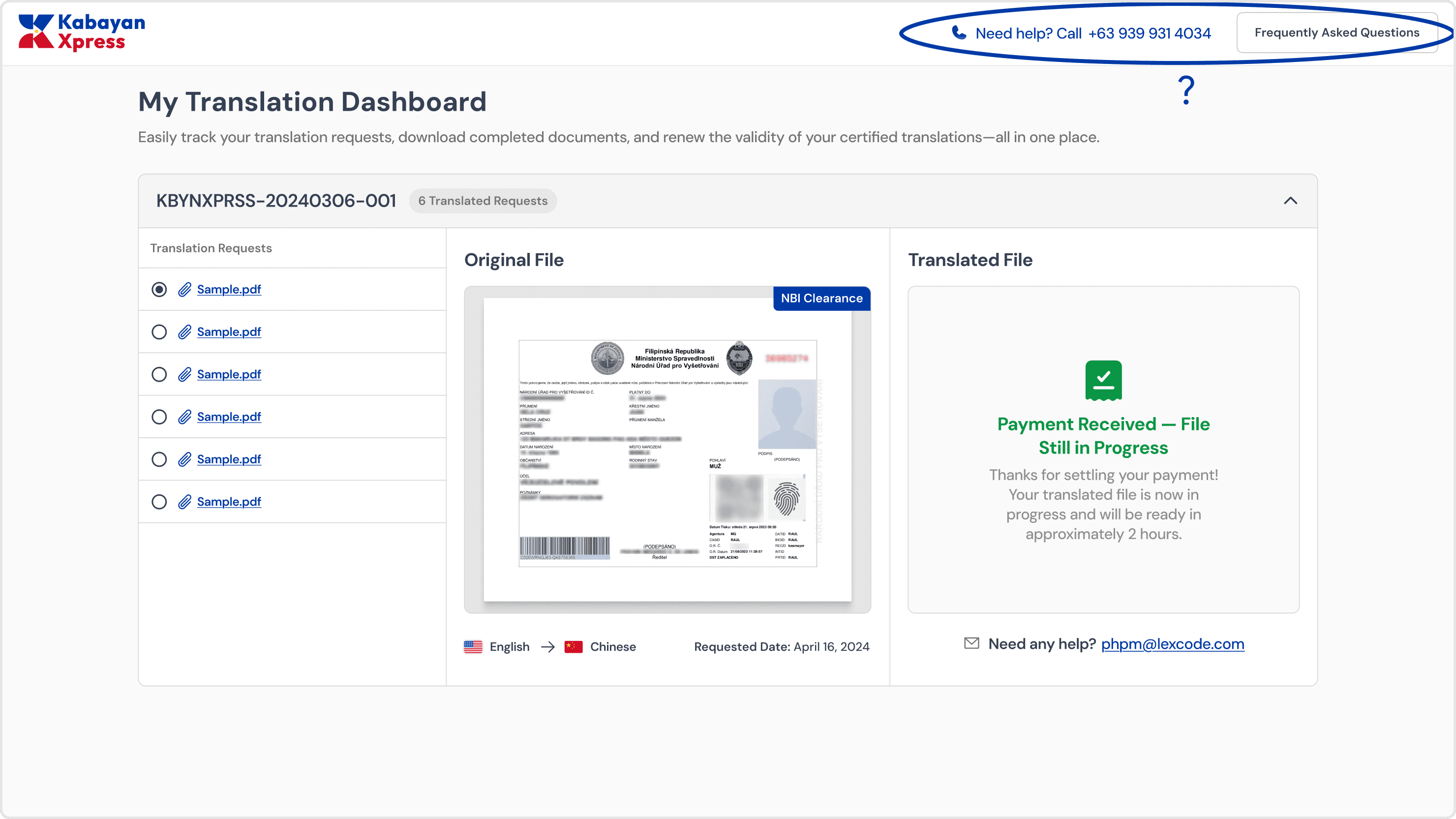
Old product
Limited Status Communication
The previous system displayed a static message:
“Payment Received — File Still in Progress. Your translated file will be ready in approximately 2 hours.”
There was no progress breakdown.
No visual stage indicator.
No countdown timer.
No real-time reassurance.
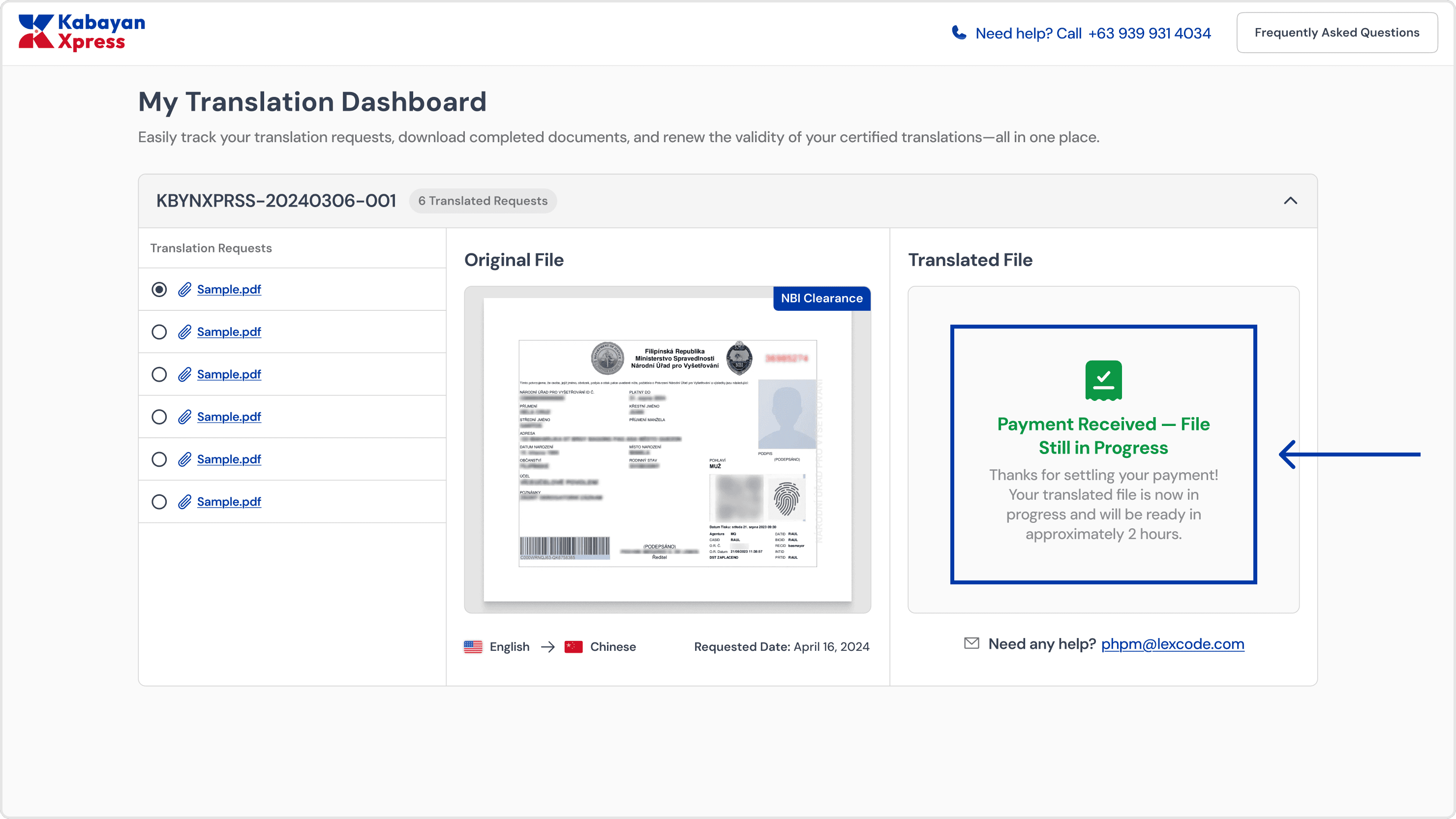
Old product
Small Document Viewer &
Poor Preview Experience
The document preview area was limited in size, requiring users to click again to view the full document.
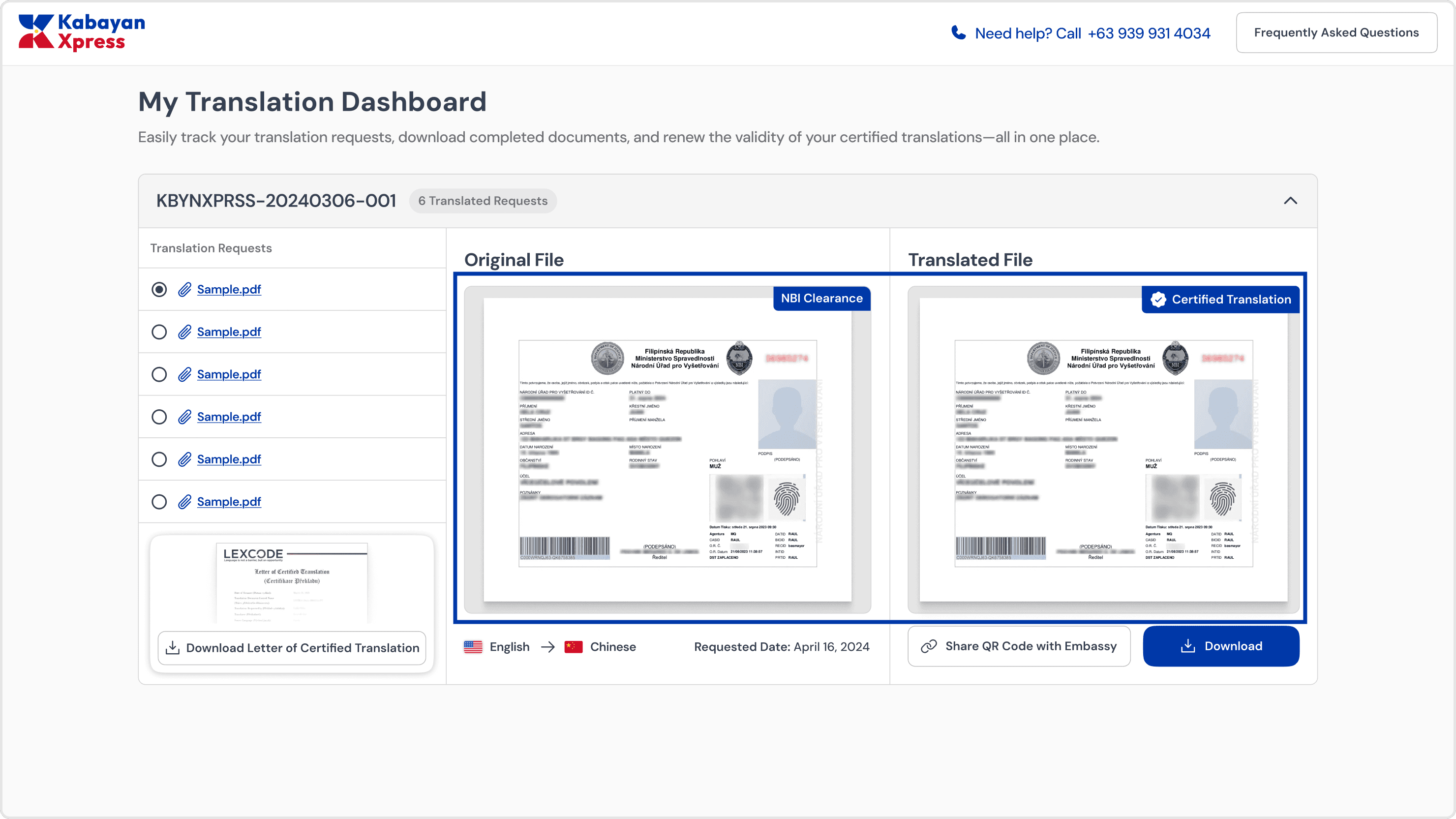
Old product
Missing Supporting Documents
The Letter of Certified Translation is not the only document that project managers provide. After the translation process, they must also submit the following:
Service Invoice
Notarization (If requested)
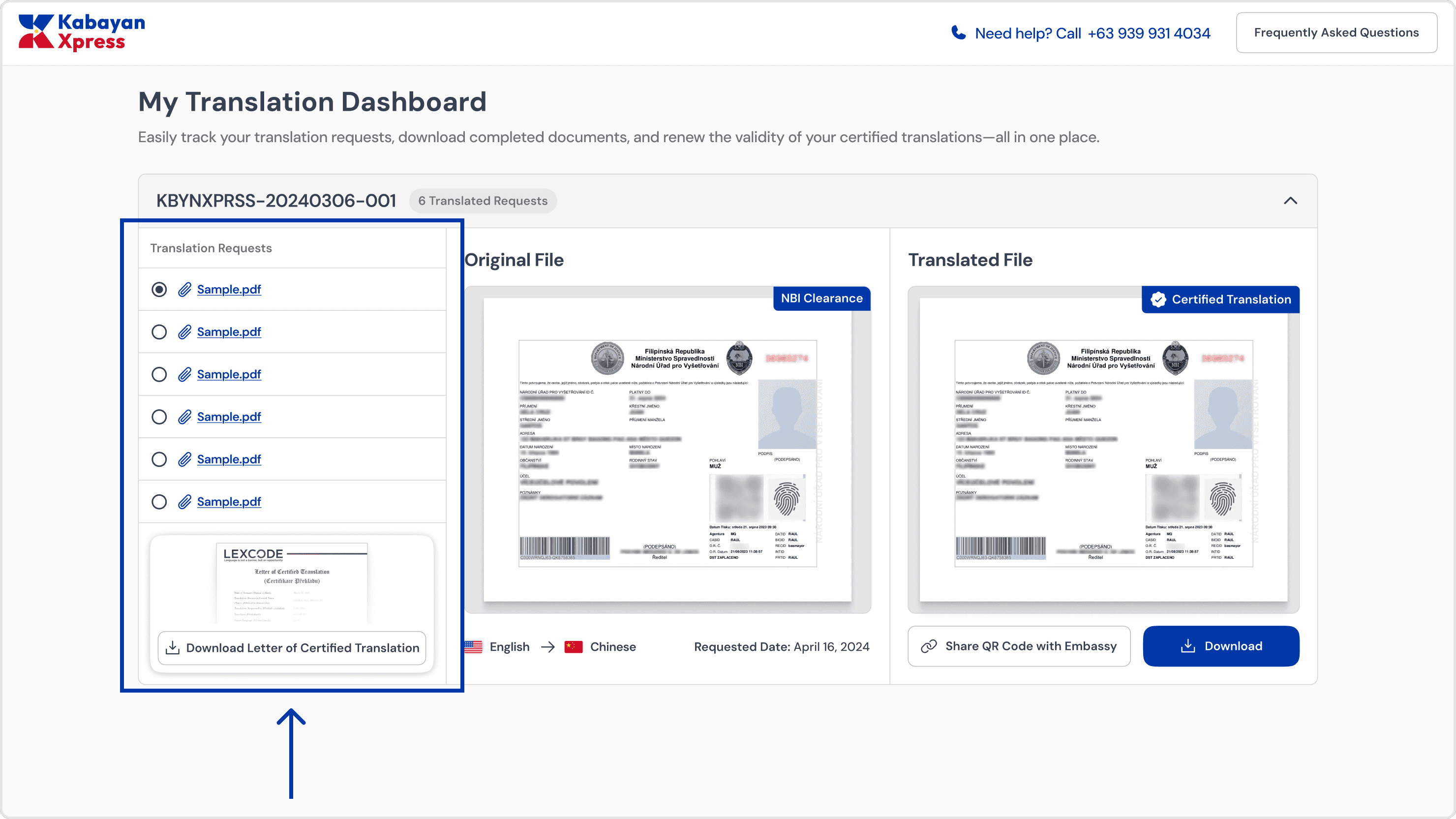
Old product
Presenting, improved design wireframes!
No digging through your requests
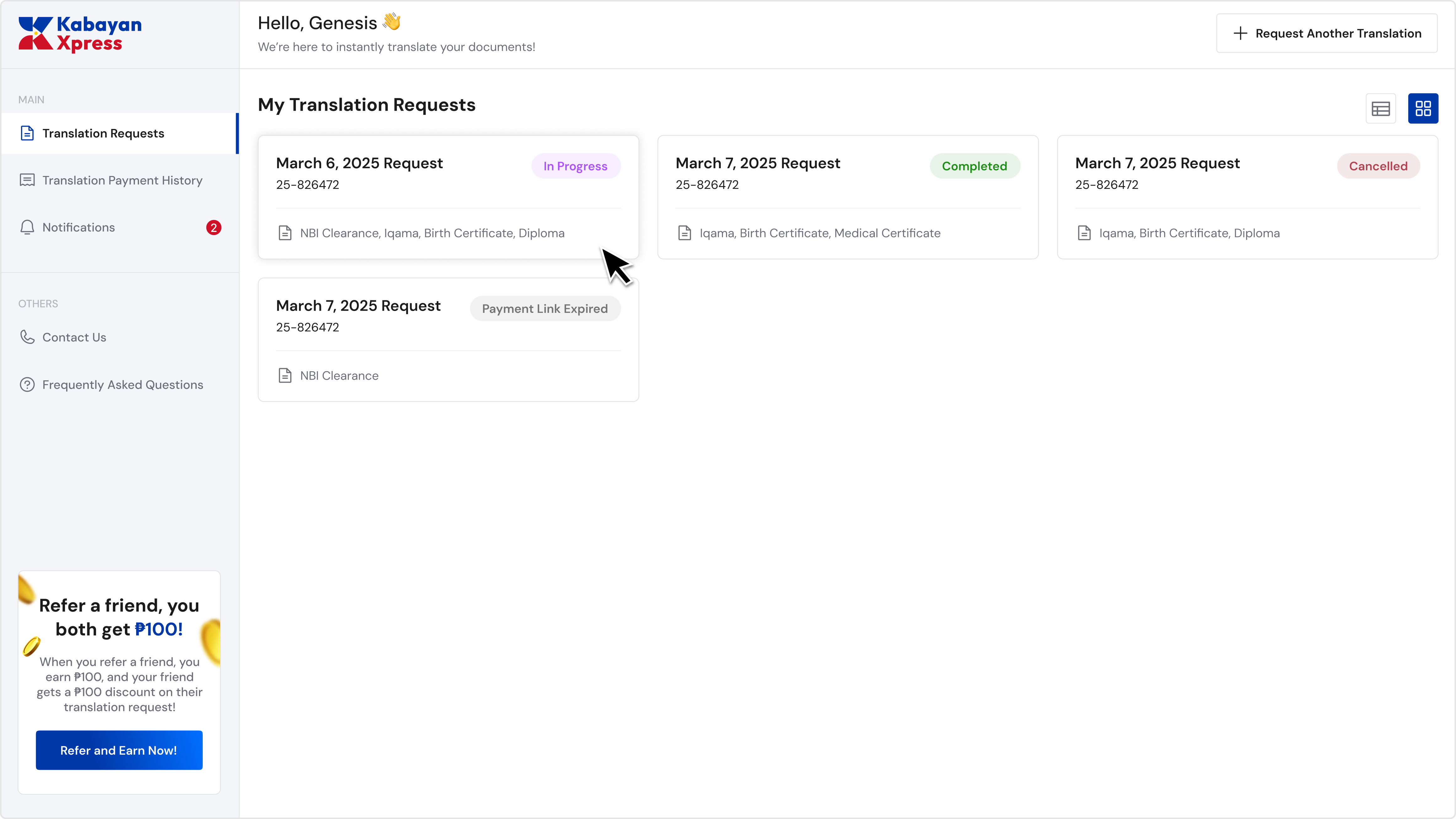
Peace of mind was built into the experience
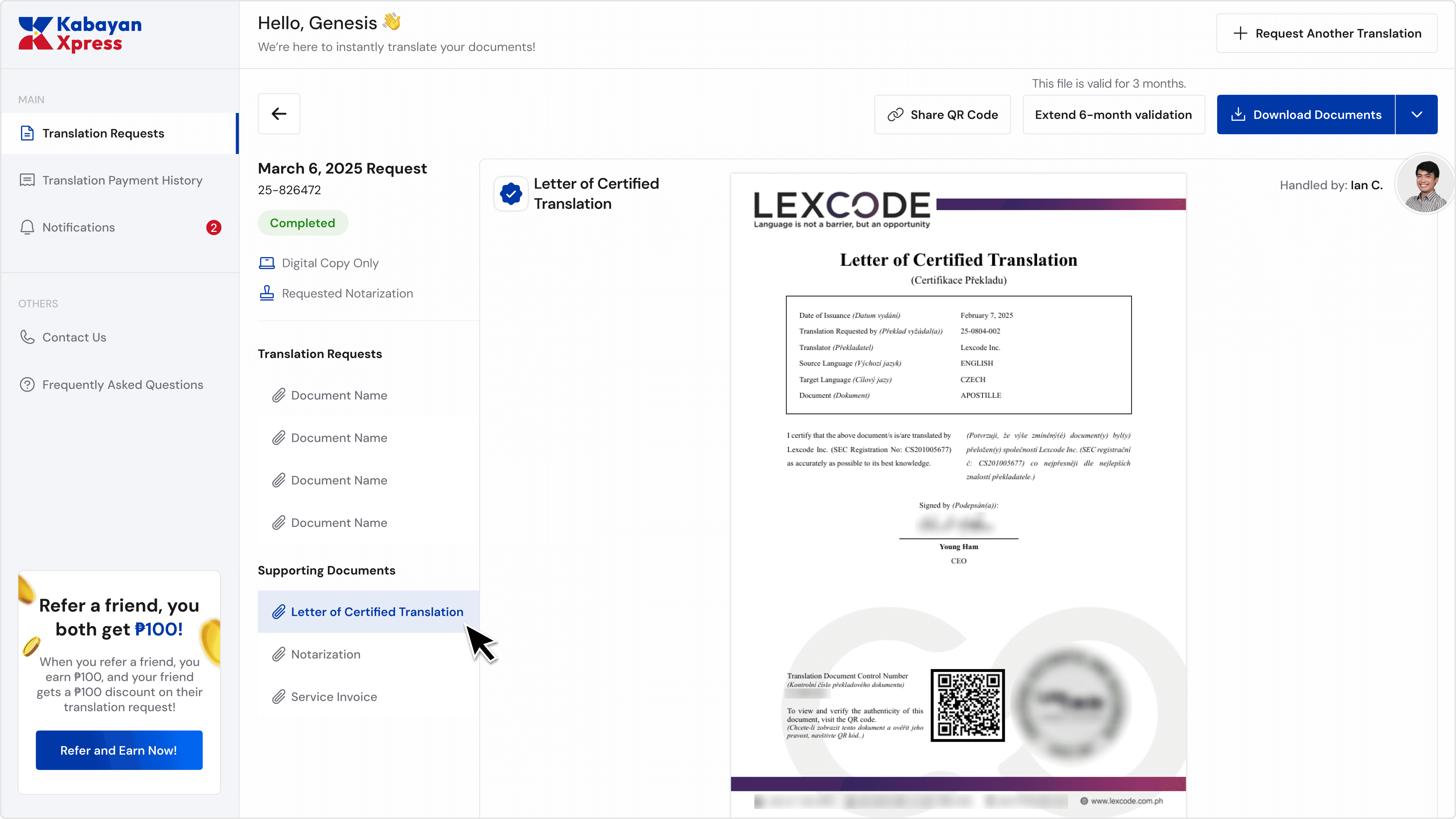
Better view and complete documents!
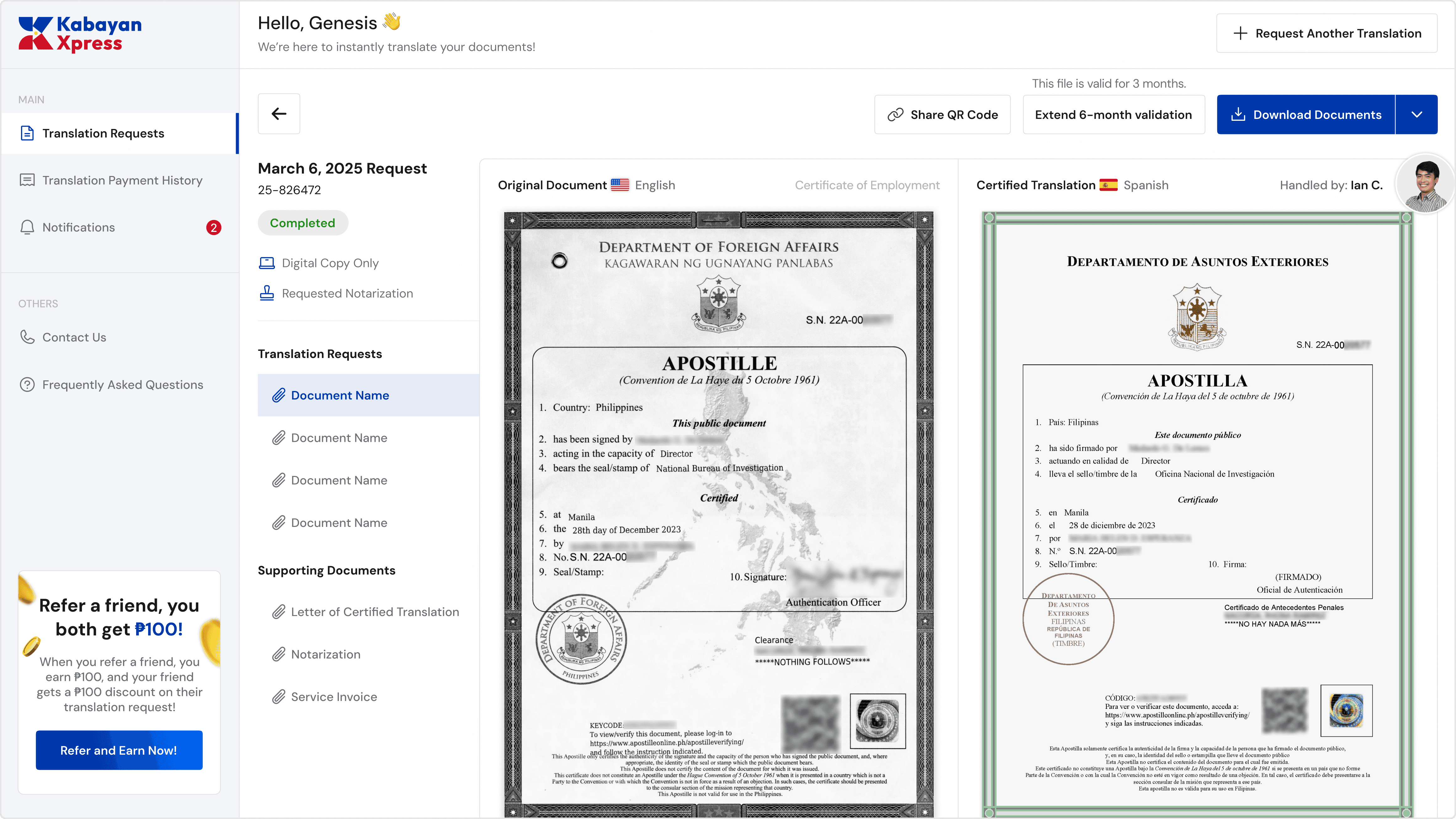
All supporting documents are now provided.
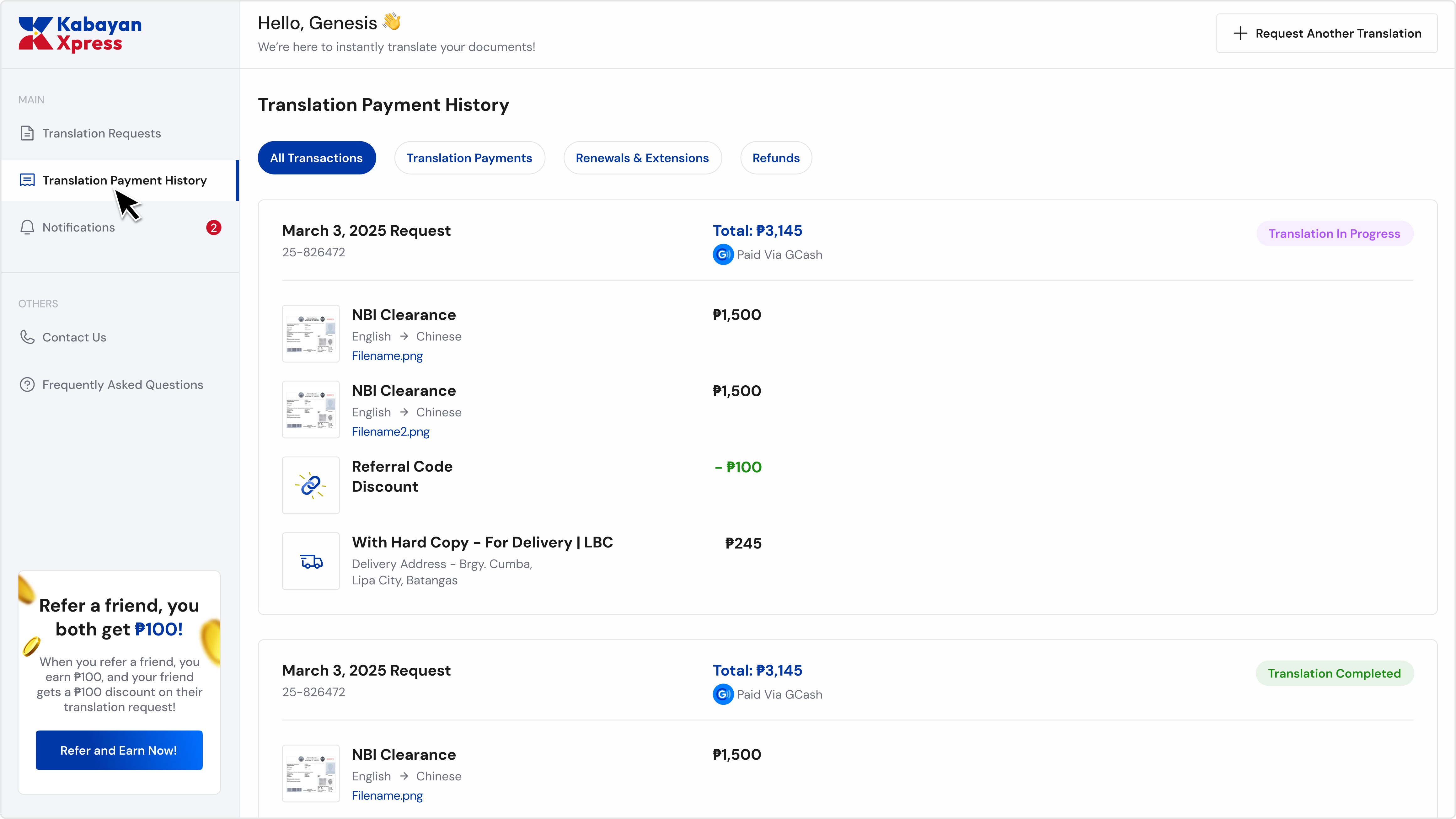
Your payments, all in one place
The payment history gives users a complete breakdown of every transaction: translation fees, renewals, refunds, delivery charges, referral discounts, and etc.
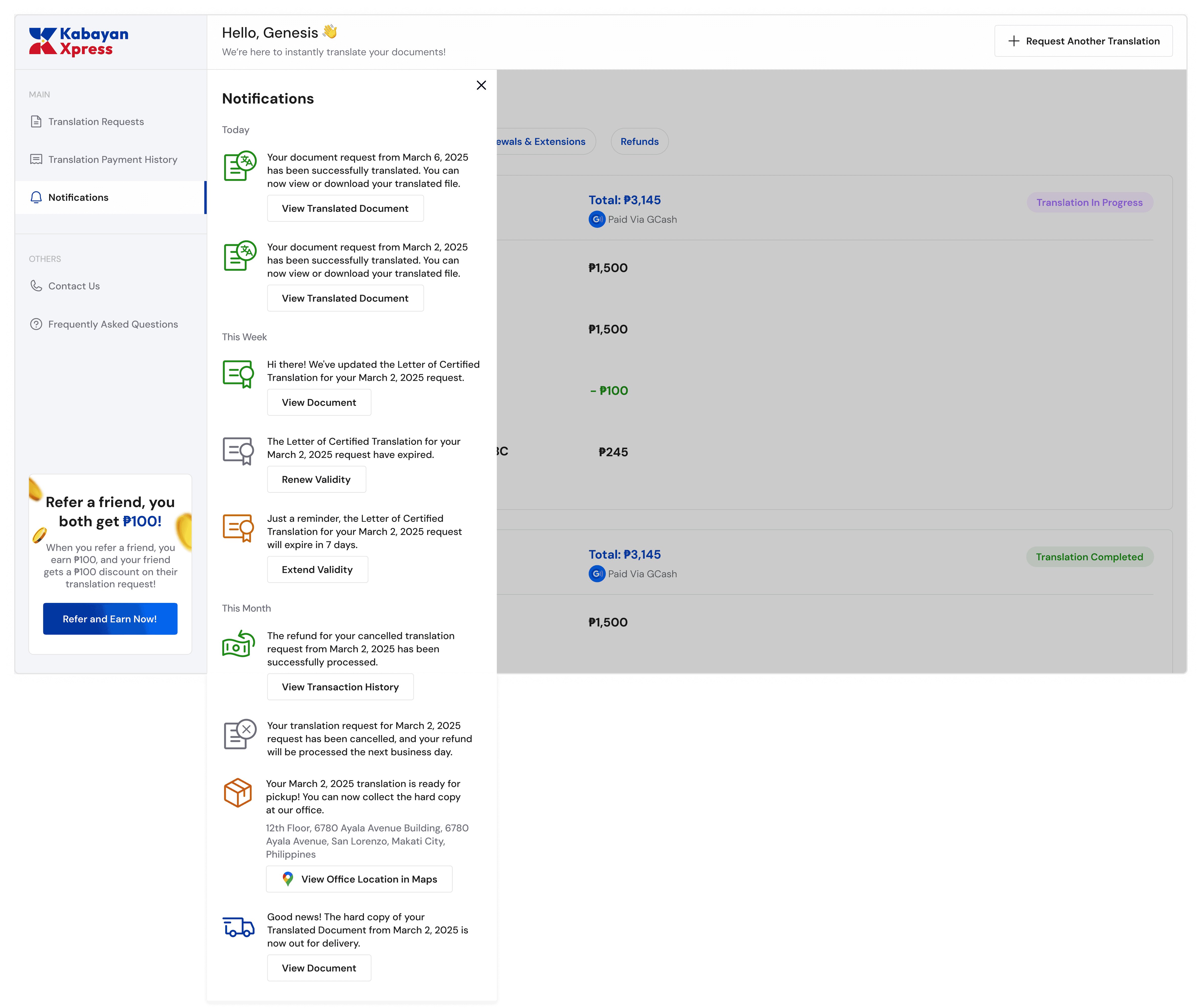
Notification system
Anyone who’s worked abroad knows this truth: OFWs help each other. They share tips, recommend services, and look out for one another.



Introducing, refer & earn!
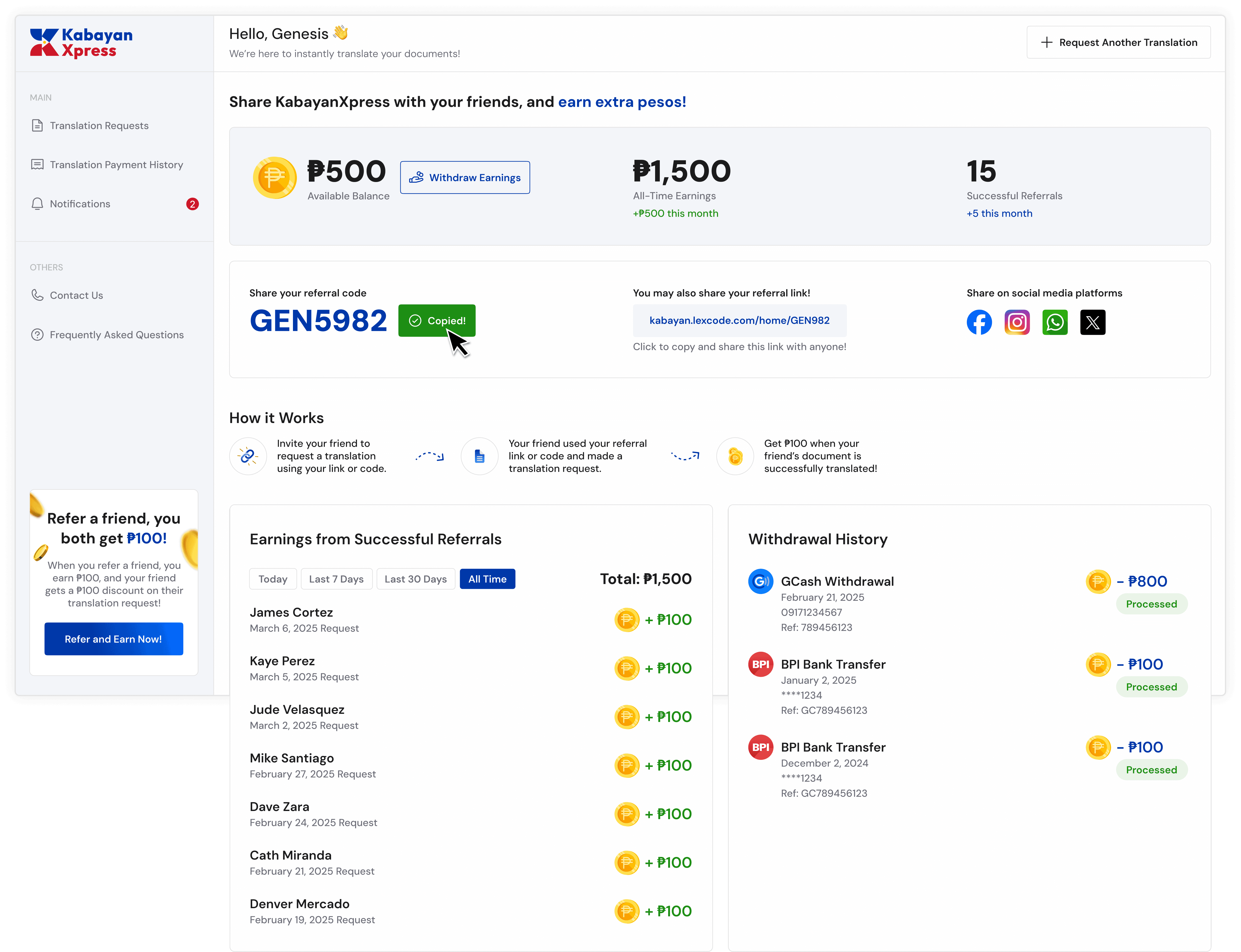
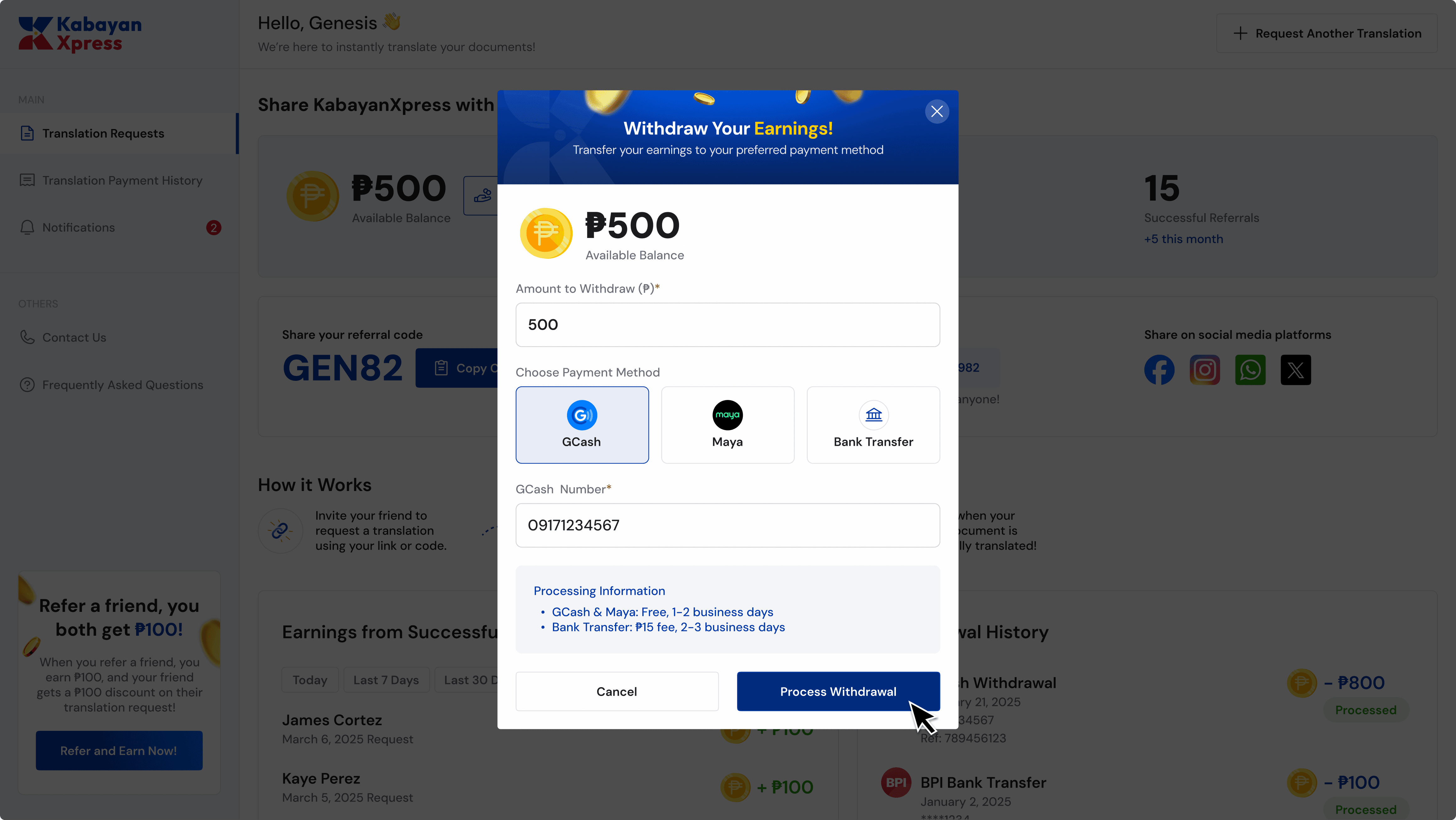
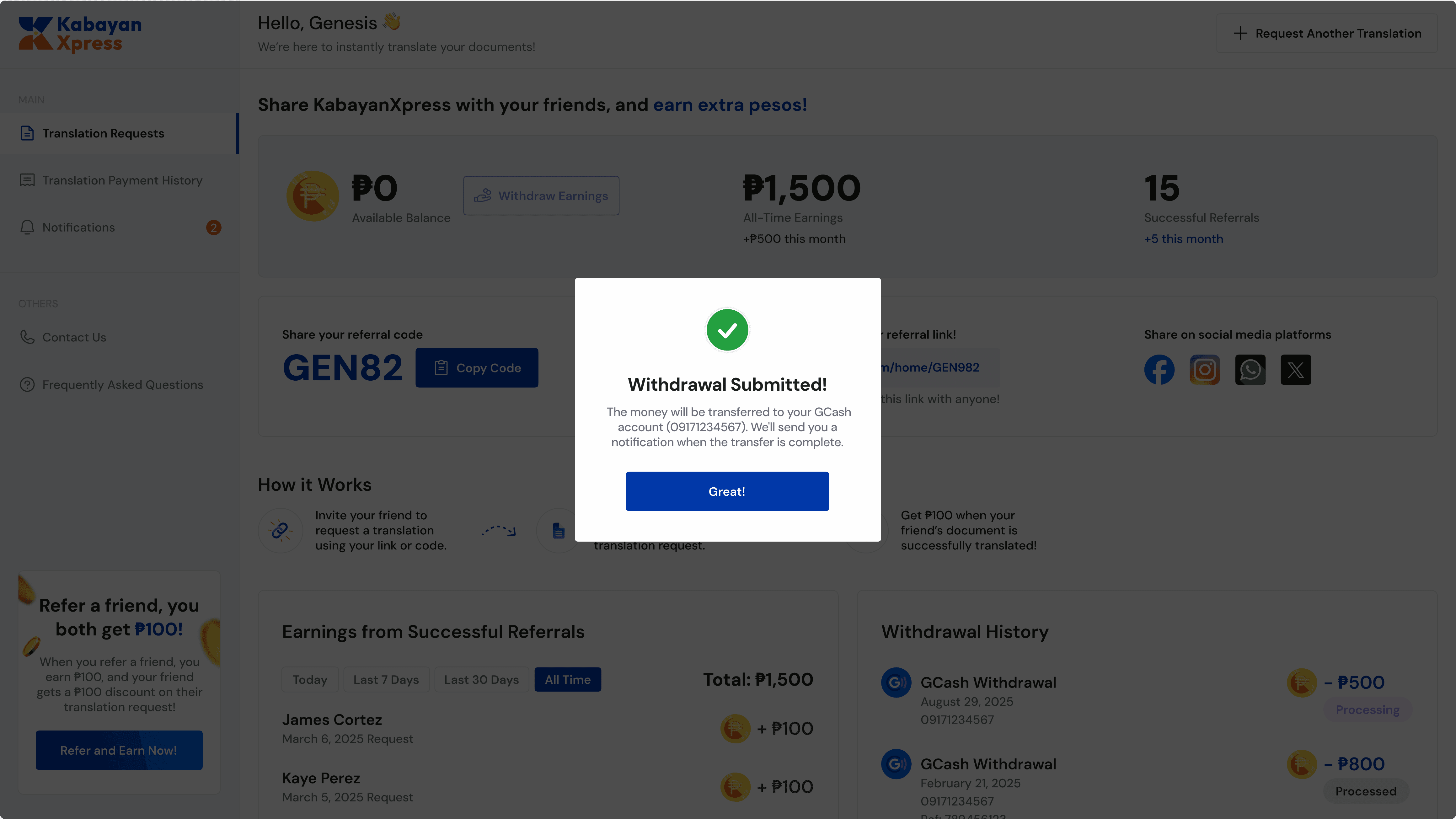
Easy withdraw your earnings!
Withdraw their earnings directly to GCash, Maya, or their bank account. Growth that rewards everyone.

Results
The translation project managers reported these results to me following two months of deploying the new design solution.

Eliminated post-submission anxiety, reducing follow-up questions from clients by 90%.

30% increase in weekly translation requests
Proud of this too!

KabayanXpress has already helped over 1,000+ Overseas Filipino Workers (OFWs) achieve their dreams abroad.
"
I had such a great experience with KabayanXpress Translation. Their platform looked super professional, which gave me confidence right from the start. The team was amazing and the final output is absolutely fantastic! I’ll definitely be recommending them to anyone who needs translation service.
- Vill, Translation Client

Project takeaways
I learned that close collaboration with developers is a critical component of the design process. Because they are responsible for building the logic behind the interface, their confusion is often the first red flag for a UX problem. If a developer finds even a small thing unclear, it’s a sign that the user will likely feel the same uncertainty.
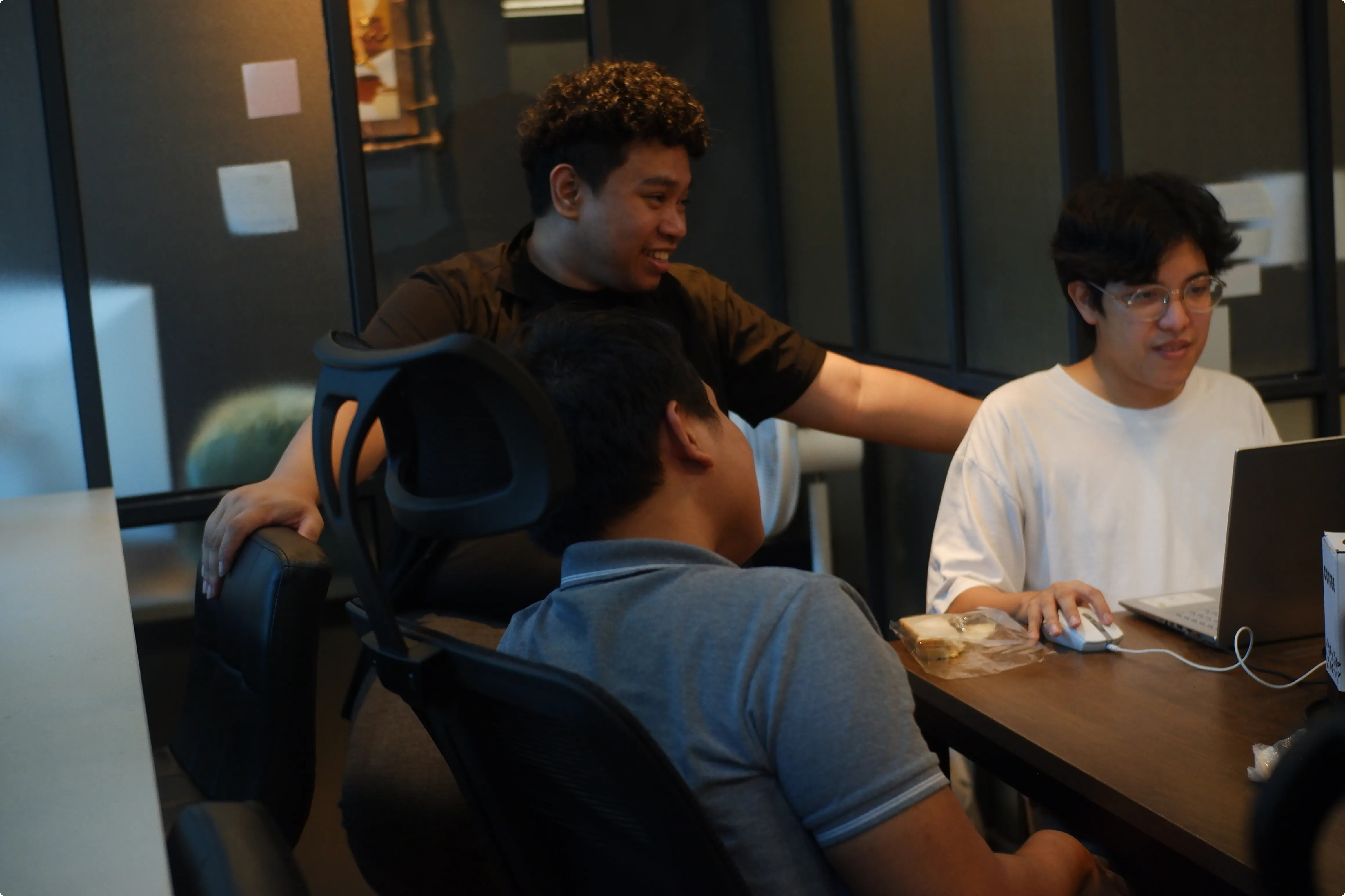


You made it to the finish line!
Thank you for scrolling all the way to the end.